ShowSquid Getting Started
What Does ShowSquid Do?
Some devices remain quiet until asked for information, and some multicast traffic may not reach your computer unless it joins the relevant group.
ShowSquid sends discovery messages and network requests, joins selected multicast groups, and listens for replies and other traffic. This gives ShowShark more information to identify devices and show what they are doing.
Getting Started (Essential Mode)
Essential mode provides a smaller set of commonly used protocol groups, with most configuration handled automatically.
If you have not already installed ShowSquid, download it here.
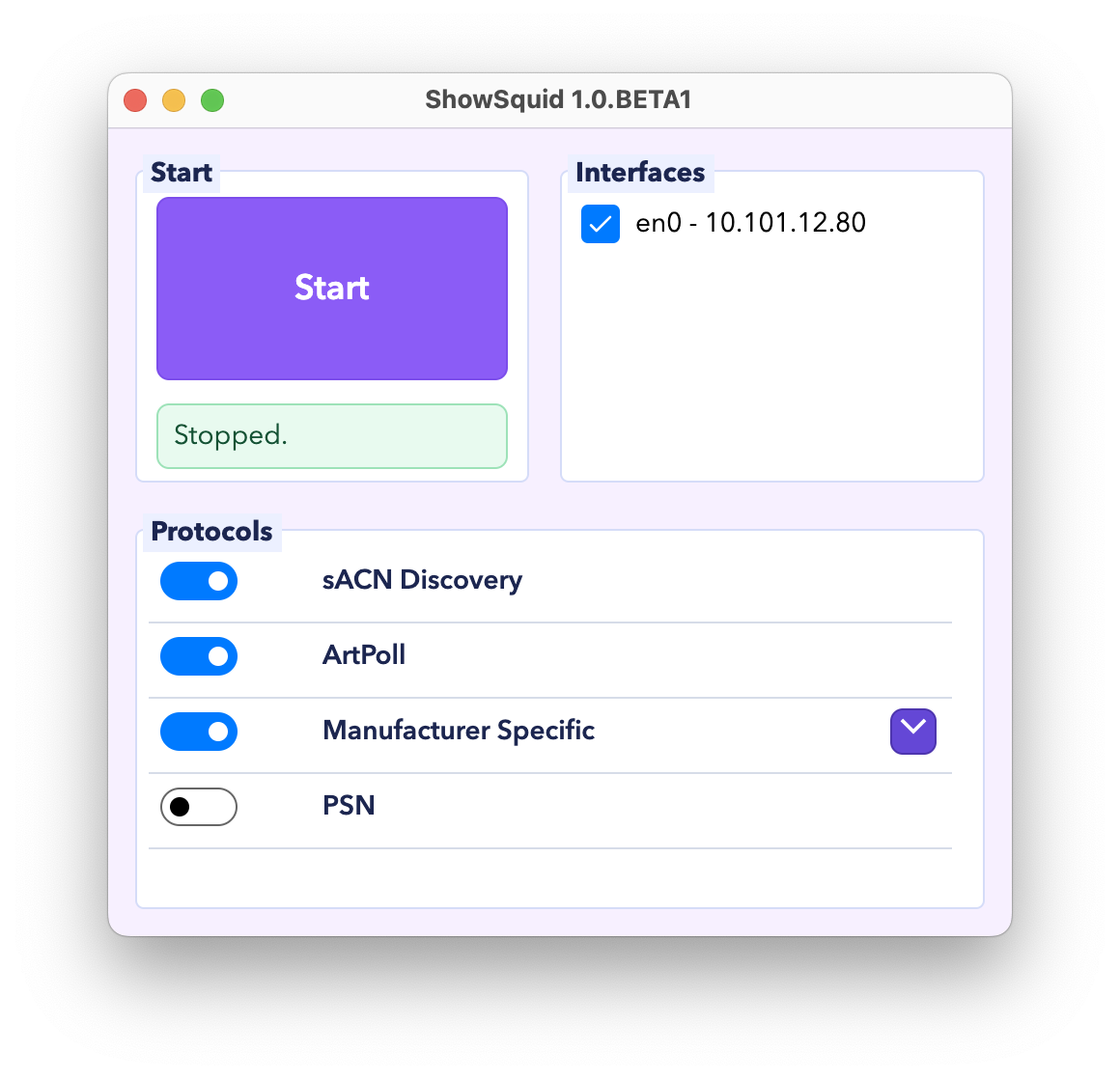
- Open ShowSquid.
- Select one or more network interfaces. ShowSquid will send and receive traffic on every selected interface.
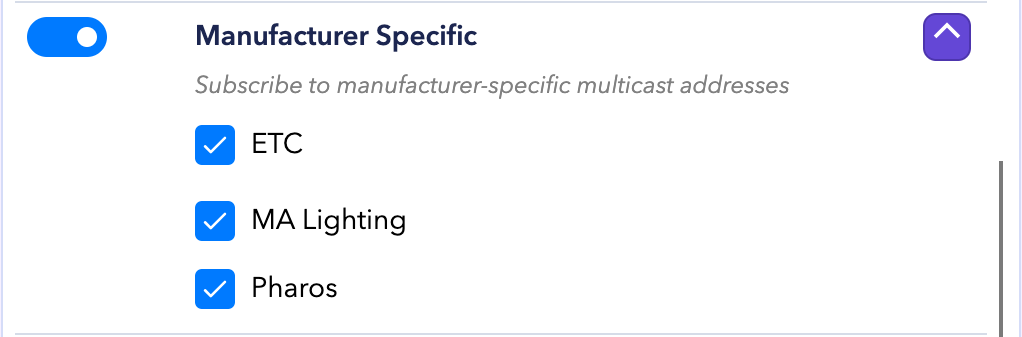
- Enable or disable the available protocols as needed. Under Manufacturer Specific, choose which manufacturers to include.
- Click Start. ShowSquid begins sending discovery messages and network requests, subscribes to the selected multicast groups, and listens for replies.
- Watch the activity indicators and log, and look for new traffic in Wireshark.
- Click Stop when you are done.
While Running
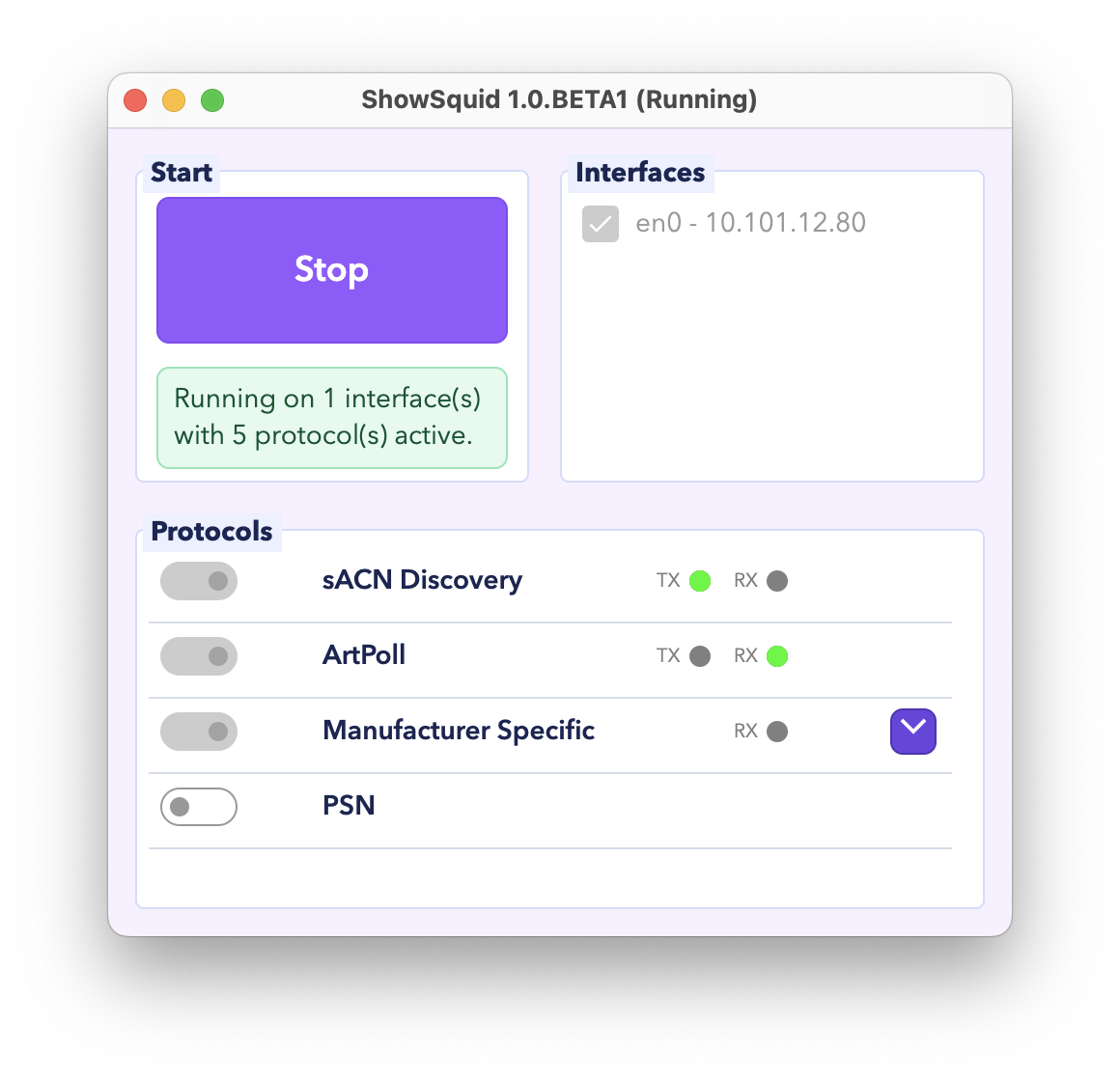
While ShowSquid is running, the setup controls remain locked until you click Stop. The TX and RX indicators flash each time ShowSquid sends or receives messages.
Log
Open the log from View > Log to see a timestamped record of ShowSquid’s send and receive activity.
Protocol Overview
sACN Discovery
- Listens for sACN discovery packets.
Art-Net (ArtPoll)
- Sends ArtPoll messages and listens for ArtPollReply responses.
Manufacturer Specific
- Joins selected manufacturer-specific multicast groups and listens for traffic.
PSN
- Joins the PSN multicast group and indicates when traffic is present.