Applying Colour Rules
ShowShark includes a colour rules file which helps visualise different types of traffic in the packet list.
When the plugin is loaded, it places the colour rules file in the ShowShark documents folder. The folder can be accessed via Tools > ShowShark > Open Documents Folder.
Apply Colour Rules
- Open Wireshark
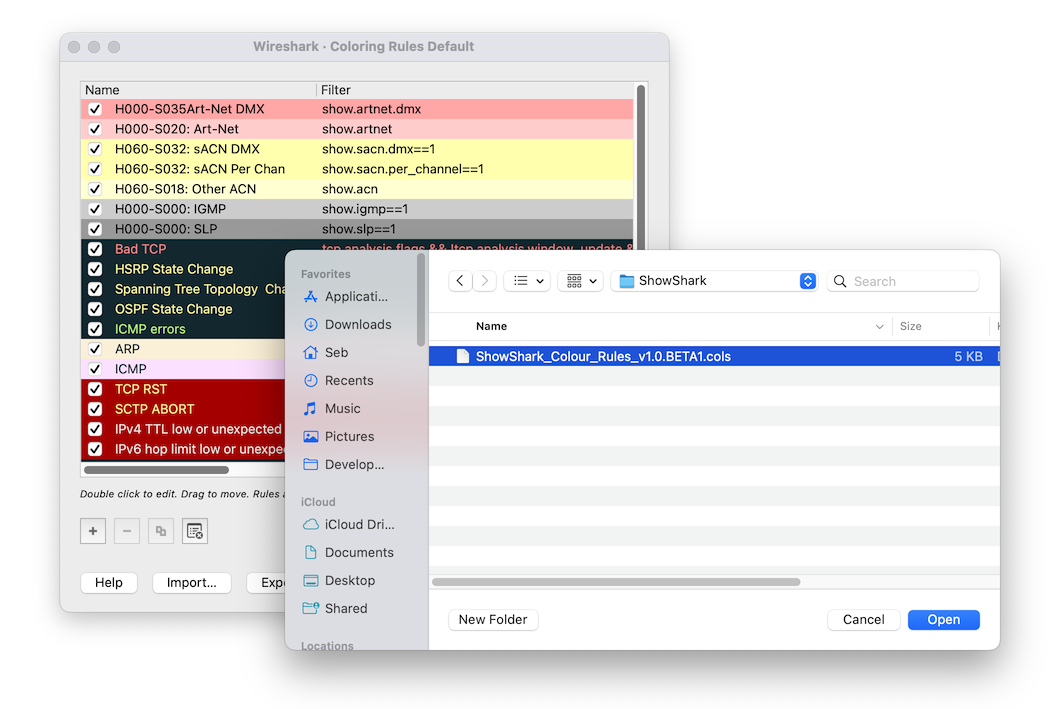
- Go to View > Coloring Rules…
- Click the Clear all colouring rules button.
- Click the Import… button.
- Navigate to the ShowShark documents folder and select
ShowShark_Colour_Rules_1.0.colours. - Click OK to apply the colour rules.
Note: The colour rules file includes Wireshark’s default colouring rules. It’s safe to clear all existing rules before importing—no default colours will be lost.