Host Table
More detailed Host Table documentation and screenshots will be available in a future. For now, this page provides a quick overview of the key features and how to access them.
Host Discovery
ShowShark gathers information on devices as packets are captured, building a comprehensive picture of “who is on the network and what they are doing?”. ShowShark learns about hosts through multiple different methods, including:
- Manufacturers from MAC address OUIs and protocol metadata.
- Hostnames from entertainment protocol announcements.
- Entertainment protocols by monitoring the protocol traffic each host sends and receives.
- Device types inferred from protocol usage and metadata.
The longer you leave a capture running, the more detail ShowShark can gather for the Host Table. Host Table data persists when you stop and restart captures, so you can capture in stages and the table remains intact.
Show Host Table Window
The Tools > ShowShark > Show Host Table menu option opens a dedicated window that shows a comprehensive overview of all discovered devices and their characteristics.
If you want to see more detailed information, enable Advanced display level from the Tools > ShowShark > User Level menu.
The table currently doesn’t display well on small screens given all the parameters. The window can be stretched to view all columns. The next version will not use the display level settings, but will include filter buttons to show and hide columns for easier viewing.
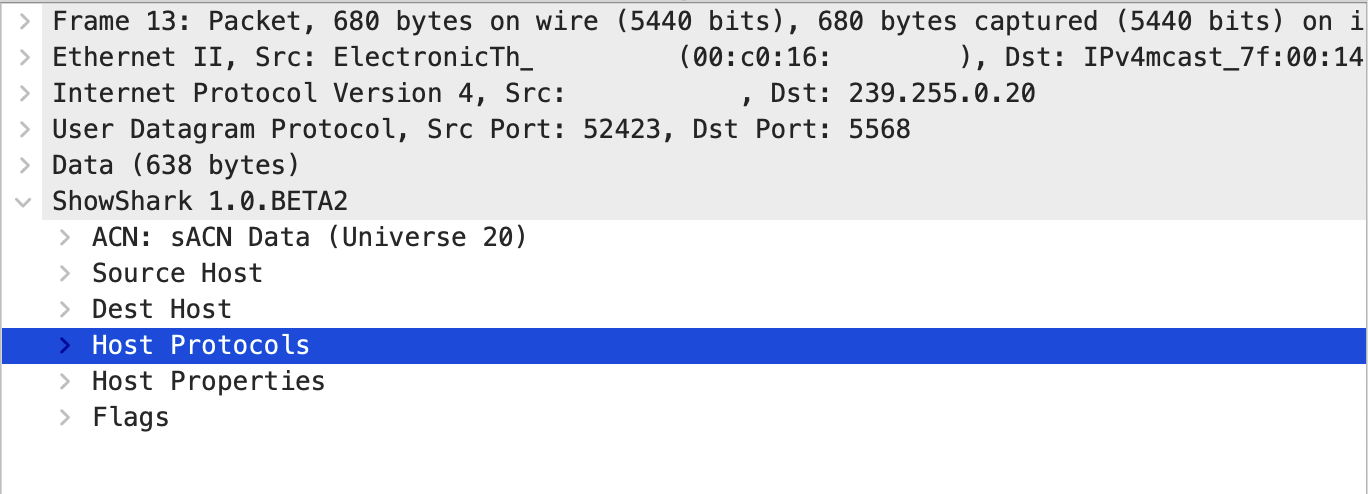
Packet Details Tables
In the packet details pane (bottom left of the packet windows), depending on your Options settings, you’ll see up to two additional tables:
- Host Properties Table - Shows detailed information about the source or destination host.
- Host Protocols Table - Lists all protocols the host has been observed using.
These tables appear for each packet, providing quick access to host information without opening the main Host Table window.
Host Properties Table
The Host Properties Table displays detailed information about each discovered host. If some of the fields below are missing, it just means that ShowShark hasn’t yet discovered that information about the host.
| Field | Description |
|---|---|
| ID | Unique identifier for the host. |
| Hostname | Device hostname. |
| IP Address | Current IP address. |
| MAC Address | Hardware address (shown at Advanced level). |
| Manufacturer | Device manufacturer (derived from protocols, MAC OUI, or other sources). |
| MAC Manufacturer | Manufacturer from MAC OUI lookup (shown at Advanced level). |
| Derived Manufacturer | Manufacturer derived from entertainment protocols (shown at Advanced level). |
| Assumed Manufacturer | Manufacturer assumed from packet data and metadata (shown at Advanced level). |
| Device Type | Type of device (e.g., lighting console, fixture). |
| Additional Hostnames | Other hostnames associated with the device. |
Host Protocols Table
This table shows which protocols each host is using, with a cross (✕) in each relevant protocol column — for example, a device sending sACN packets will have a cross in the sACN column.
The protocols table will only show protocols columns of those that at least one host has been seen using.